
Developer API / Home automation
Home automation guide
The booking calendar should drive the house: door codes that follow the reservation, thermostats that warm up before check-in, lights on for arrival night. This is how our own property in Clemson runs, and everything it needs is on this API. There are two ways in — poll the occupancy summary on an interval, and let webhooks push booking events to you the moment they happen. Use both: polling is your source of truth, webhooks make it instant.
What this looks like in practice
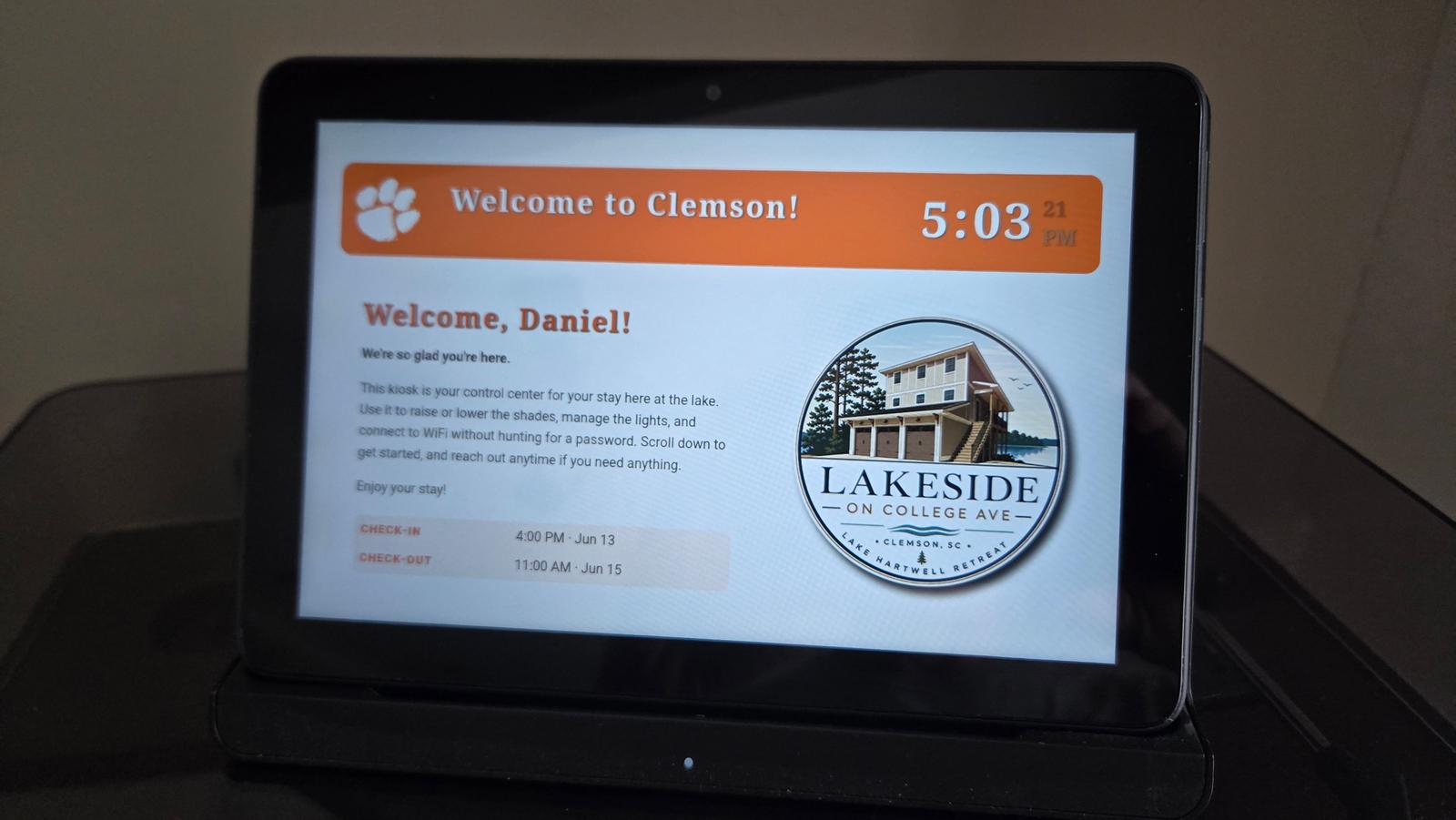
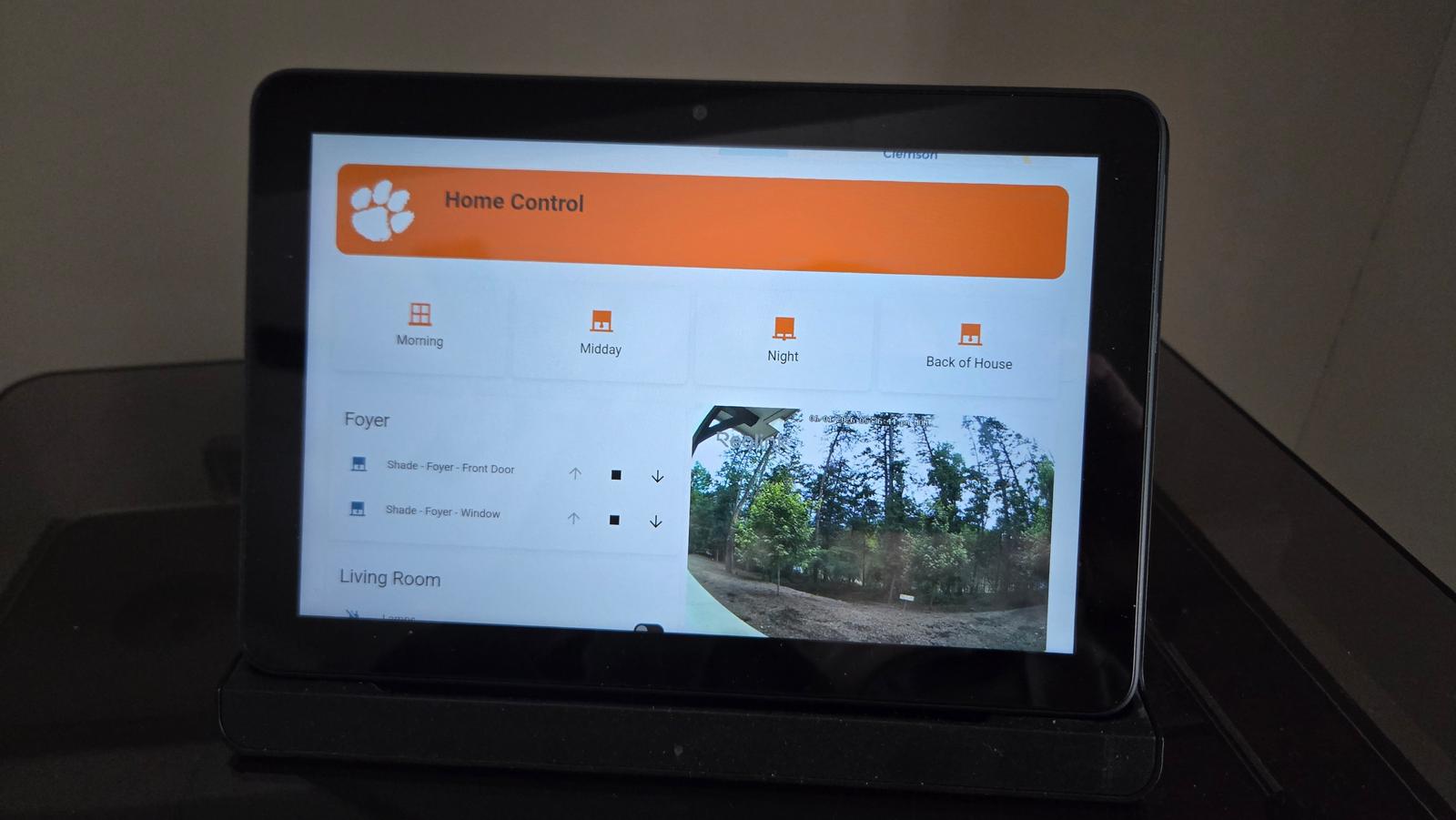
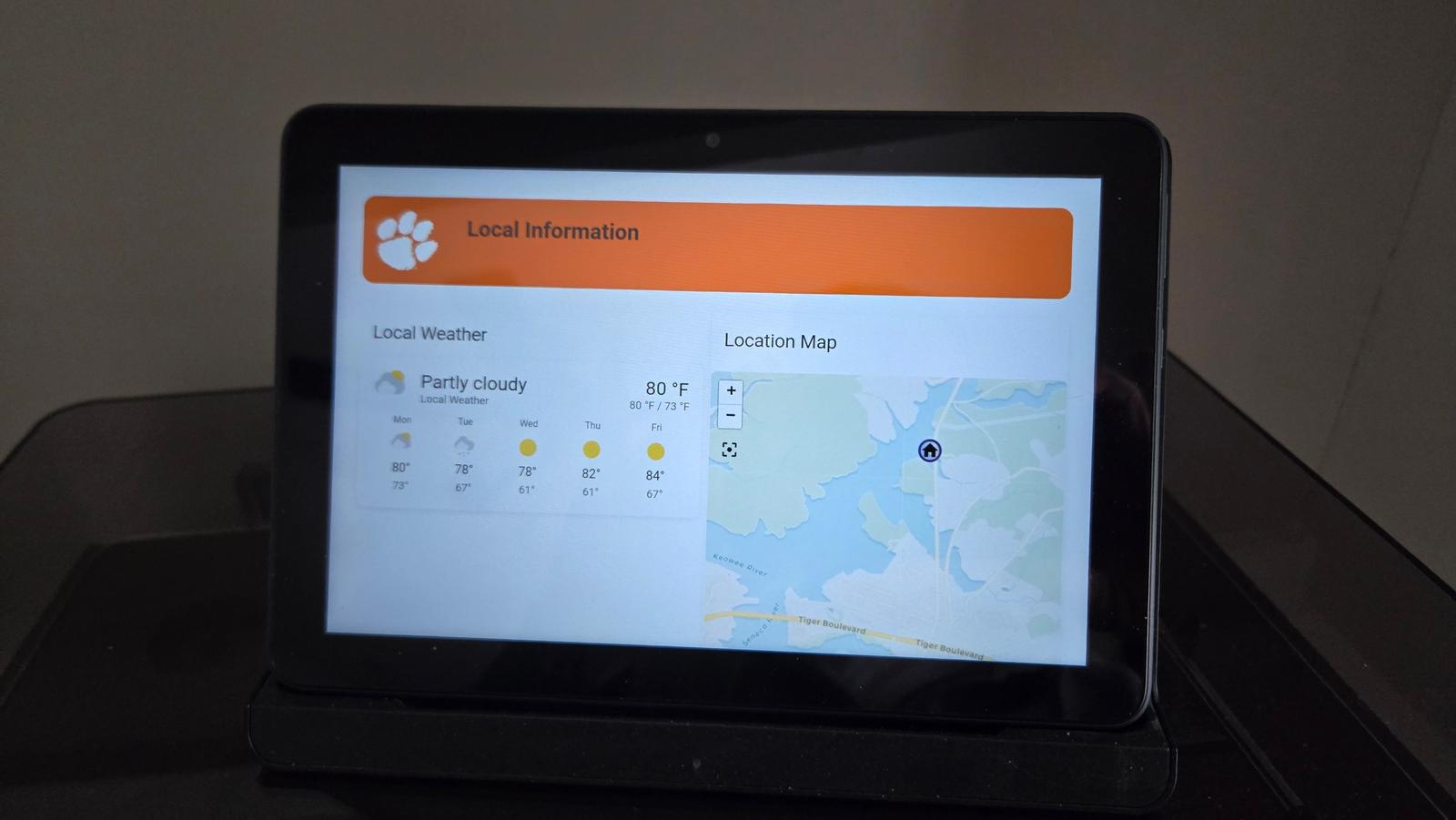
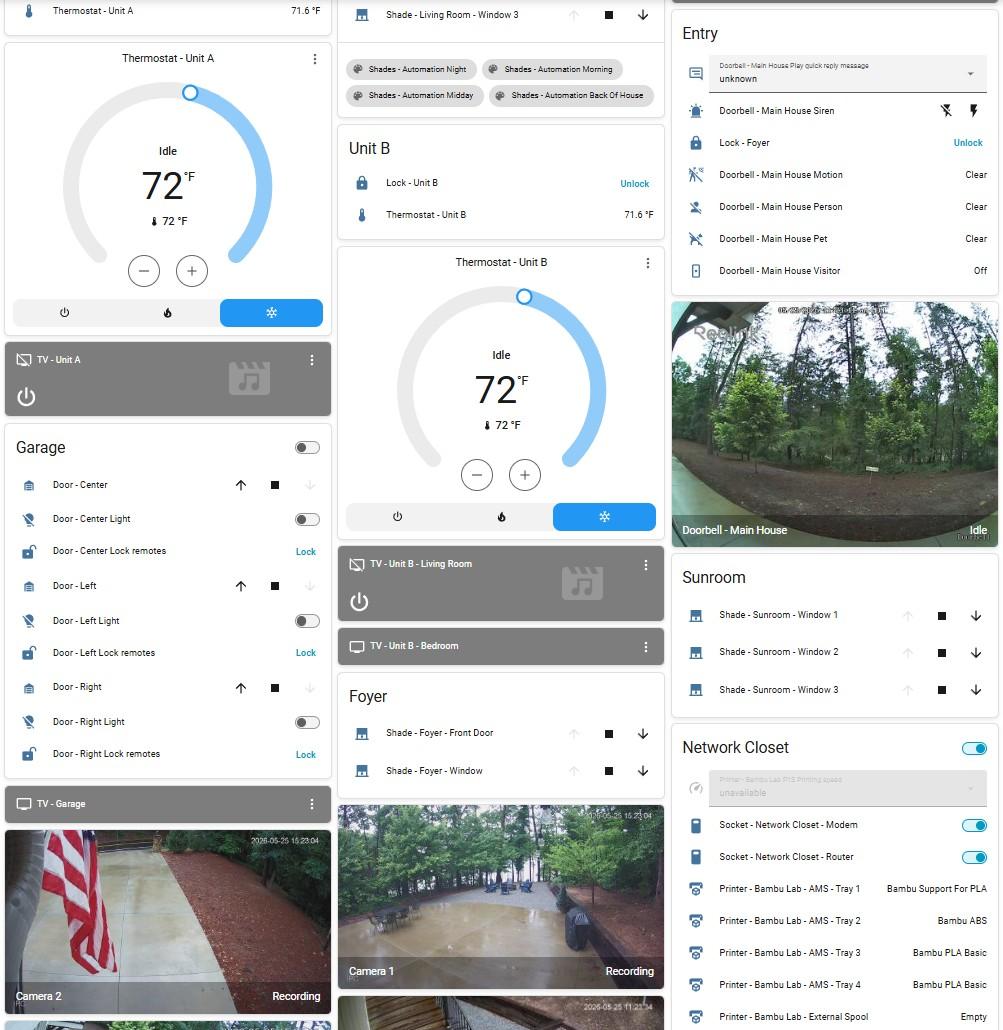
Everything below runs today at Lakeside on College Ave. On the day of check-in, the in-unit kiosk updates itself: an AI agent reads the reservation from the booking pipeline and pushes the guest's name, dates, and check-out time to the tablet — so the house greets each guest personally before anyone lifts a finger. The same kiosk gives guests controls for the guest areas, local info, and Wi-Fi access, while the host gets a single Home Assistant dashboard — thermostats, locks, shades, garage doors, cameras, and a remotely rebootable network closet — on a phone, from anywhere.
The occupancy summary
GET /api/v1/ha/summary (requires a read-scoped key) returns everything an automation needs in one response — per-property occupancy, today's arrivals and departures, the current and next booking, and operational details like the door code and Wi-Fi network. Dates are YYYY-MM-DD in the property's local sense of "today".
{
  "date": "2026-06-12",
  "generatedAt": "2026-06-12T14:00:00.000Z",
  "totals": {
    "properties": 5,
    "occupiedTonight": 2,
    "checkInsToday": 1,
    "checkOutsToday": 0,
    "pendingBookings": 1
  },
  "properties": [
    {
      "slug": "lakeview-cabin",
      "name": "Lakeview Cabin",
      "occupied": true,
      "checkInToday": false,
      "checkOutToday": false,
      "currentBooking": {
        "code": "SEB-A1B2C3",
        "guestName": "Jane Smith",
        "guests": 4,
        "checkIn": "2026-06-10",
        "checkOut": "2026-06-14"
      },
      "nextArrival": {
        "code": "SEB-D4E5F6",
        "guestName": "Sam Lee",
        "checkIn": "2026-06-20",
        "status": "confirmed"
      },
      "checkInTime": "4:00 PM",
      "checkOutTime": "11:00 AM",
      "doorCode": "4821",
      "wifiSsid": "LakesideGuest"
    }
  ]
}
Notes: occupied counts only confirmed bookings, while checkInToday / checkOutToday include pending requests too — so the house can prepare for an arrival that's still awaiting approval. currentBooking and nextArrival are null when there isn't one.
Wire it into Home Assistant
One REST sensor polls the summary; everything else derives from its attributes. Keep the key in secrets.yaml rather than inline.
# configuration.yaml
rest:
  - resource: https://yourdomain.com/api/v1/ha/summary
    headers:
      Authorization: !secret seb_api_auth   # "Bearer seb_your_key_here"
    scan_interval: 300
    sensor:
      - name: "Rentals occupied tonight"
        value_template: "{{ value_json.totals.occupiedTonight }}"
        json_attributes:
          - date
          - totals
          - properties
Then split the per-property fields into their own entities with template sensors — repeat the block for each listing you automate:
# configuration.yaml
template:
  - binary_sensor:
      - name: "Lakeview Cabin occupied"
        state: >-
          {{ state_attr('sensor.rentals_occupied_tonight', 'properties')
             | selectattr('slug', 'eq', 'lakeview-cabin')
             | map(attribute='occupied') | first }}
      - name: "Lakeview Cabin check-in today"
        state: >-
          {{ state_attr('sensor.rentals_occupied_tonight', 'properties')
             | selectattr('slug', 'eq', 'lakeview-cabin')
             | map(attribute='checkInToday') | first }}
      - name: "Lakeview Cabin checkout today"
        state: >-
          {{ state_attr('sensor.rentals_occupied_tonight', 'properties')
             | selectattr('slug', 'eq', 'lakeview-cabin')
             | map(attribute='checkOutToday') | first }}
  - sensor:
      - name: "Lakeview Cabin door code"
        state: >-
          {{ state_attr('sensor.rentals_occupied_tonight', 'properties')
             | selectattr('slug', 'eq', 'lakeview-cabin')
             | map(attribute='doorCode') | first }}
Recipe: the lock follows the platform
Whatever door code the platform reports is the code the lock should have. Trigger on any change to the door-code sensor and program the lock — shown here with Z-Wave JS; swap the action for your lock integration.
automation:
  - alias: "Keep the front door code in sync"
    triggers:
      - trigger: state
        entity_id: sensor.lakeview_cabin_door_code
    conditions:
      - condition: template
        value_template: >-
          {{ trigger.to_state.state not in ['unknown', 'unavailable', 'none', ''] }}
    actions:
      - action: zwave_js.set_lock_usercode
        target:
          entity_id: lock.front_door
        data:
          code_slot: 2
          usercode: "{{ trigger.to_state.state }}"
Recipe: climate around the stay
Comfortable at check-in, economical the rest of the time: warm (or cool) the unit 45 minutes before check-in, and set back a few minutes after checkout. Adjust the times to your own check-in/checkout schedule.
automation:
  - alias: "Comfort temp before check-in"
    triggers:
      - trigger: time
        at: "15:15"            # 45 min before a 4:00 PM check-in
    conditions:
      - condition: state
        entity_id: binary_sensor.lakeview_cabin_check_in_today
        state: "on"
    actions:
      - action: climate.set_temperature
        target:
          entity_id: climate.lakeview_cabin
        data:
          temperature: 71

  - alias: "Eco setback after checkout"
    triggers:
      - trigger: time
        at: "11:05"            # 5 min after an 11:00 AM checkout
    conditions:
      - condition: state
        entity_id: binary_sensor.lakeview_cabin_checkout_today
        state: "on"
      - condition: state
        entity_id: binary_sensor.lakeview_cabin_occupied
        state: "off"           # skip when a same-day arrival follows
    actions:
      - action: climate.set_preset_mode
        target:
          entity_id: climate.lakeview_cabin
        data:
          preset_mode: eco
Recipe: lights on for arrival night
Guests arriving after dark shouldn't walk up to a black house. On check-in day, bring up the entry and porch lights just before sunset.
automation:
  - alias: "Arrival lighting"
    triggers:
      - trigger: sun
        event: sunset
        offset: "-00:20:00"
    conditions:
      - condition: state
        entity_id: binary_sensor.lakeview_cabin_check_in_today
        state: "on"
    actions:
      - action: light.turn_on
        target:
          area_id: entry
        data:
          brightness_pct: 70
Instant events with webhooks
Polling every five minutes is fine for thermostats; it's slow for "a booking just landed." Register a webhook in the admin (/admin/webhooks) and the platform POSTs to your URL the moment these happen — subscribe to specific events or * for all of them:
booking.created— a new request comes in (any source)booking.confirmed— the host confirms; payment is capturedbooking.cancelled— cancelled by host or guest; holds releasedbooking.updated— status or details changebooking.payment_authorized— the guest's card hold succeedsbooking.payment_expired— an unpaid checkout link lapsescalendar.synced— an Airbnb/VRBO iCal pull completesEvery delivery carries the event name in X-SEB-Event and an HMAC-SHA256 signature of the raw body in X-SEB-Signature, computed with the webhook's secret:
POST https://your-endpoint.example/hook
Content-Type: application/json
X-SEB-Event: booking.confirmed
X-SEB-Signature: sha256=2f1d8a9c...

{
  "event": "booking.confirmed",
  "timestamp": "2026-06-12T14:03:22.000Z",
  "data": {
    "code": "SEB-A1B2C3",
    "property": "lakeview-cabin",
    "propertyName": "Lakeview Cabin",
    "guestName": "Jane Smith",
    "checkIn": "2026-07-10",
    "checkOut": "2026-07-13",
    "status": "confirmed",
    "paymentStatus": "paid"
  }
}(booking.created additionally includes guests, total in integer cents, and source.) In Home Assistant, point the webhook at an automation trigger — and use the event to refresh the REST sensor immediately instead of waiting out the poll interval:
automation:
  - alias: "Booking events from the platform"
    triggers:
      - trigger: webhook
        webhook_id: "seb-3f9c0a7d-long-and-random"   # treat this ID as a secret
        allowed_methods: [POST]
        local_only: false
    actions:
      - action: homeassistant.update_entity
        target:
          entity_id: sensor.rentals_occupied_tonight
      - action: notify.mobile_app_your_phone
        data:
          title: "{{ trigger.json.event }}"
          message: >-
            {{ trigger.json.data.guestName }} · {{ trigger.json.data.propertyName }} ·
            {{ trigger.json.data.checkIn }} → {{ trigger.json.data.checkOut }}
Home Assistant's webhook trigger can't verify HMAC signatures, so its protection is the unguessable webhook_id over HTTPS. If you want real verification, terminate the webhook at something that can check the signature (a Cloudflare Worker, n8n, a small server) and forward to HA from there:
import { createHmac, timingSafeEqual } from "node:crypto";

function verifySignature(rawBody, signatureHeader, secret) {
  const expected =
    "sha256=" + createHmac("sha256", secret).update(rawBody).digest("hex");
  const a = Buffer.from(signatureHeader);
  const b = Buffer.from(expected);
  return a.length === b.length && timingSafeEqual(a, b);
}
Keep channel calendars fresh
Our hosted platform already pulls Airbnb/VRBO iCal feeds every 30 minutes on a cron. If you self-host or want a tighter loop around high-demand weekends, trigger a sync from HA with a write-scoped key:
rest_command:
  sync_channel_calendars:
    url: https://yourdomain.com/api/v1/sync/ical
    method: post
    headers:
      authorization: !secret seb_write_auth

automation:
  - alias: "Pull channel calendars"
    triggers:
      - trigger: time_pattern
        minutes: "/30"
    actions:
      - action: rest_command.sync_channel_calendars
Security notes
- Door codes and Wi-Fi details only ever appear behind an authenticated API key — never on the public site or in the public iCal feeds.
- Give Home Assistant a
read-only key; reservewritekeys for the calendar-sync command and booking automations that need them. Keys are created and revoked at/admin/api-keys. - Keep credentials in HA's
secrets.yaml, and treat webhook IDs as secrets — anyone who knows the URL can fire the trigger. - Webhook receivers that act on events (unlocking doors, messaging guests) should verify
X-SEB-Signaturebefore trusting the payload.
The full endpoint reference lives on the Developer API page, with a machine-readable spec at /api/openapi.json. Want a setup like this for your own rental — locks, climate, kiosk, the works? That's what our consulting practice builds.